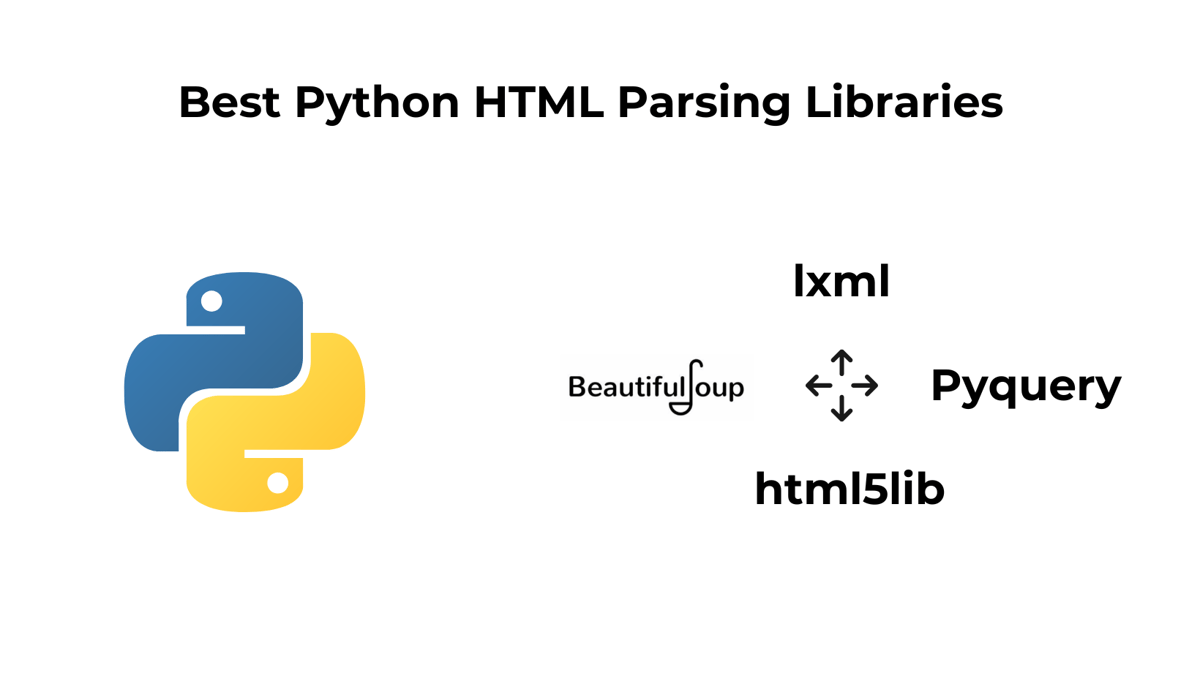
TL;DR
Compares 4 Python HTML parsers: BeautifulSoup, lxml, html5lib, PyQuery.
BS4: easiest; handles messy HTML. lxml: fast with XPath / XSLT; great for XML.
html5lib: HTML5-correct but slow / high memory. PyQuery: jQuery-style selectors on lxml.
Takeaway: default to BS4 for messy pages, lxml for XML; others are situational;
Scrapy/requests-htmlalso noted.
There is a lot of data available on the internet and almost all of that is pretty useful. You can make an analysis based on that data, make better decisions, and even predict changes in the stock market. But there is a gap between this data and your decision-making graphs, which can be filled with HTML parsing.
If you want to use this data for your personal or business needs, you must scrape and clean it.
All this data is not human readable therefore you need a mechanism to clean that raw data and make it readable. This technique is called HTML parsing.
In this blog, we will talk about the best python html parsing libraries available. Also, I have made a table at the very end to compare all the libraries in a table.
Many new coders get confused while choosing a suitable parsing library.
Python is supported by a very large community and therefore it comes with multiple options for parsing HTML.
Here are some common criteria and reasons for selecting specific HTML parsing libraries for this blog.
Ease of Use and Readability
Performance and Efficiency
Error Handling and Robustness
Community and Support
Documentation and Learning Resources
4 Python HTML Parsing Libraries
BeautifulSoup
It is the most popular one among all the html parsing libraries. It can help you parse HTML and XML documents with ease. Once you read the documentation you will find it very easy to create parsing trees and extract useful data out of them.
Since it is a third-party package you have to install it using pip in your project environment. You can do it using pip install beautifulsoup4. Let’s understand how we can use it in Python with a small example.
The first step would be to import it into your Python script. Of course, you have to first scrape the data from the target website but for this blog, we are just going to focus on the parsing section.
You can refer to web scraping with Python to learn more about the web scraping part using the best documentation.
Example
Let’s say we have the following simple HTML document as a string.
1Sample HTML Page2 3 4 Welcome to BeautifulSoup Example5 This is a paragraph of text.6 7 Item 18 Item 29 Item 310 window.lazyLoadOptions=Object.assign({},{threshold:300},window.lazyLoadOptions||{});!function(t,e){"object"==typeof exports&&"undefined"!=typeof module?module.exports=e():"function"==typeof define&&define.amd?define(e):(t="undefined"!=typeof globalThis?globalThis:t||self).LazyLoad=e()}(this,function(){"use strict";function e(){return(e=Object.assign||function(t){for(var e=1;ewindow.litespeed_ui_events=window.litespeed_ui_events||["mouseover","click","keydown","wheel","touchmove","touchstart"];var urlCreator=window.URL||window.webkitURL;function litespeed_load_delayed_js_force(){console.log("[LiteSpeed] Start Load JS Delayed"),litespeed_ui_events.forEach(e=>{window.removeEventListener(e,litespeed_load_delayed_js_force,{passive:!0})}),document.querySelectorAll("iframe[data-litespeed-src]").forEach(e=>{e.setAttribute("src",e.getAttribute("data-litespeed-src"))}),"loading"==document.readyState?window.addEventListener("DOMContentLoaded",litespeed_load_delayed_js):litespeed_load_delayed_js()}litespeed_ui_events.forEach(e=>{window.addEventListener(e,litespeed_load_delayed_js_force,{passive:!0})});async function litespeed_load_delayed_js(){let t=[];for(var d in document.querySelectorAll('script[type="litespeed/javascript"]').forEach(e=>{t.push(e)}),t)await new Promise(e=>litespeed_load_one(t[d],e));document.dispatchEvent(new Event("DOMContentLiteSpeedLoaded")),window.dispatchEvent(new Event("DOMContentLiteSpeedLoaded"))}function litespeed_load_one(t,e){console.log("[LiteSpeed] Load ",t);var d=document.createElement("script");d.addEventListener("load",e),d.addEventListener("error",e),t.getAttributeNames().forEach(e=>{"type"!=e&&d.setAttribute("data-src"==e?"src":e,t.getAttribute(e))});let a=!(d.type="text/javascript");!d.src&&t.textContent&&(d.src=litespeed_inline2src(t.textContent),a=!0),t.after(d),t.remove(),a&&e()}function litespeed_inline2src(t){try{var d=urlCreator.createObjectURL(new Blob([t.replace(/^(?:)?$/gm,"$1")],{type:"text/javascript"}))}catch(e){d="data:text/javascript;base64,"+btoa(t.replace(/^(?:)?$/gm,"$1"))}return d}var litespeed_vary=document.cookie.replace(/(?:(?:^|.*;\s*)_lscache_vary\s*\=\s*([^;]*).*$)|^.*$/,"");litespeed_vary||(sessionStorage.getItem("litespeed_reloaded")?console.log("LiteSpeed: skipping guest vary reload (already reloaded this session)"):fetch("/wp-content/plugins/litespeed-cache/guest.vary.php",{method:"POST",cache:"no-cache",redirect:"follow"}).then(e=>e.json()).then(e=>{console.log(e),e.hasOwnProperty("reload")&&"yes"==e.reload&&(sessionStorage.setItem("litespeed_docref",document.referrer),sessionStorage.setItem("litespeed_reloaded","1"),window.location.reload(!0))}));Here’s a Python code example using BeautifulSoup.
1from bs4 import BeautifulSoup2 3# Sample HTML content4html = """5678 Sample HTML Page91011 Welcome to BeautifulSoup Example12 This is a paragraph of text.13 14 Item 115 Item 216 Item 317 window.lazyLoadOptions=Object.assign({},{threshold:300},window.lazyLoadOptions||{});!function(t,e){"object"==typeof exports&&"undefined"!=typeof module?module.exports=e():"function"==typeof define&&define.amd?define(e):(t="undefined"!=typeof globalThis?globalThis:t||self).LazyLoad=e()}(this,function(){"use strict";function e(){return(e=Object.assign||function(t){for(var e=1;ewindow.litespeed_ui_events=window.litespeed_ui_events||["mouseover","click","keydown","wheel","touchmove","touchstart"];var urlCreator=window.URL||window.webkitURL;function litespeed_load_delayed_js_force(){console.log("[LiteSpeed] Start Load JS Delayed"),litespeed_ui_events.forEach(e=>{window.removeEventListener(e,litespeed_load_delayed_js_force,{passive:!0})}),document.querySelectorAll("iframe[data-litespeed-src]").forEach(e=>{e.setAttribute("src",e.getAttribute("data-litespeed-src"))}),"loading"==document.readyState?window.addEventListener("DOMContentLoaded",litespeed_load_delayed_js):litespeed_load_delayed_js()}litespeed_ui_events.forEach(e=>{window.addEventListener(e,litespeed_load_delayed_js_force,{passive:!0})});async function litespeed_load_delayed_js(){let t=[];for(var d in document.querySelectorAll('script[type="litespeed/javascript"]').forEach(e=>{t.push(e)}),t)await new Promise(e=>litespeed_load_one(t[d],e));document.dispatchEvent(new Event("DOMContentLiteSpeedLoaded")),window.dispatchEvent(new Event("DOMContentLiteSpeedLoaded"))}function litespeed_load_one(t,e){console.log("[LiteSpeed] Load ",t);var d=document.createElement("script");d.addEventListener("load",e),d.addEventListener("error",e),t.getAttributeNames().forEach(e=>{"type"!=e&&d.setAttribute("data-src"==e?"src":e,t.getAttribute(e))});let a=!(d.type="text/javascript");!d.src&&t.textContent&&(d.src=litespeed_inline2src(t.textContent),a=!0),t.after(d),t.remove(),a&&e()}function litespeed_inline2src(t){try{var d=urlCreator.createObjectURL(new Blob([t.replace(/^(?:)?$/gm,"$1")],{type:"text/javascript"}))}catch(e){d="data:text/javascript;base64,"+btoa(t.replace(/^(?:)?$/gm,"$1"))}return d}1819"""20 21# Create a BeautifulSoup object22soup = BeautifulSoup(html, 'html.parser')23 24# Accessing Elements25print("Title of the Page:", soup.title.text) # Access the title element26print("Heading:", soup.h1.text) # Access the heading element27print("Paragraph Text:", soup.p.text) # Access the paragraph element's text28 29# Accessing List Items30ul = soup.ul # Access the unordered list element31items = ul.find_all('li') # Find all list items within the ul32print("List Items:")33for item in items:34 print("- " + item.text)Let me explain the code step by step:
We import the
BeautifulSoupclass from thebs4library and create an instance of it by passing our HTML content and the parser to use (in this case,'html.parser').We access specific elements in the HTML using the BeautifulSoup object. For example, we access the title, heading (h1), and paragraph (p) elements using the
.textattribute to extract their text content.We access the unordered list (ul) element and then use
.find_all('li')to find all list items (li) within it. We iterate through these list items and print their text.
Once you run this code you will get the following output.
1Title of the Page: Sample HTML Page2Heading: Welcome to BeautifulSoup Example3Paragraph Text: This is a paragraph of text.4List Items:5- Item 16- Item 27- Item 3You can adapt similar techniques for more complex web scraping and data extraction tasks. If you want to learn more about BeautifulSoup, you should read web scraping with BeautifulSoup.
LMXL
LXML is considered to be one of the fastest parsing libraries available. It gets regular updates with the last update released in July of 2023. Using its ElementTree API you can access libxml2 and libxslt toolkits(for parsing HTML & XML) of C language. It has great documentation and community support.
BeautifulSoup also provides support for lxml. You can use it by just mentioning the lxml as your second argument inside your BeautifulSoup constructor.
lxml can parse both HTML and XML documents with high speed and efficiency. It follows standards closely and provides excellent support for XML namespaces, XPath, and CSS selectors.
In my experience, you should always prefer BS4 when dealing with messy HTML and use lxml when you are dealing with XML documents.
Like BeautifulSoup this is a third-party package that needs to be installed before you start using it in your script. You can simply do that by pip install lxml.
Let me explain to you how it can used with a small example.
Example
1Python Programming2 Manthan Koolwal3 364 5 6 Web Development with Python7 John Smith8 34Our objective is to extract this text using lxml.
1from lxml import etree2 3# Sample XML content4xml = """56 7 Python Programming8 Manthan Koolwal9 3610 11 12 Web Development with Python13 John Smith14 3415 1617"""18 19# Create an ElementTree from the XML20tree = etree.XML(xml)21 22# Accessing Elements23for book in tree.findall("book"):24 title = book.find("title").text25 author = book.find("author").text26 price = book.find("price").text27 print("Title:", title)28 print("Author:", author)29 print("Price:", price)30 print("---")Let me explain you above code step by step.
We import the
etreemodule from thelxmllibrary and create an instance of it by passing our XML content.We access specific elements in the XML using the
find()andfindall()methods. For example, we find all<book>elements within the<bookstore>usingtree.findall("book").Inside the loop, we access the
<title>,<author>, and<price>elements within each<book>element usingbook.find("element_name").text.
The output will look like this.
1Title: Python Programming2Author: Manthan Koolwal3Price: 364---5Title: Web Development with Python6Author: John Smith7Price: 348---If you want to learn more about this library then you should definitely check out our guide Web Scraping with Xpath and Python.
html5lib
HTML5lib is another great contender on this list which works great while parsing the latest HTML5. Of course, you can parse XML as well but mainly it is used for parsing html5.
It can parse documents even when they contain missing or improperly closed tags, making it valuable for web scraping tasks where the quality of HTML varies. html5lib produces a DOM-like tree structure, allowing you to navigate and manipulate the parsed document easily, similar to how you would interact with the Document Object Model (DOM) in a web browser.
Whether you’re working with modern web pages, and HTML5 documents, or need a parsing library capable of handling the latest web standards, html5lib is a reliable choice to consider.
Again this needs to be installed before you start using it. You can simply do it by pip install html5lib. After this step, you can directly import this library inside your Python script.
Example
1import html5lib2 3# Sample HTML5 content4html5 = """5678 HTML5lib Example91011 Welcome to HTML5lib12 This is a paragraph of text.13 14 Item 115 Item 216 Item 317 window.lazyLoadOptions=Object.assign({},{threshold:300},window.lazyLoadOptions||{});!function(t,e){"object"==typeof exports&&"undefined"!=typeof module?module.exports=e():"function"==typeof define&&define.amd?define(e):(t="undefined"!=typeof globalThis?globalThis:t||self).LazyLoad=e()}(this,function(){"use strict";function e(){return(e=Object.assign||function(t){for(var e=1;ewindow.litespeed_ui_events=window.litespeed_ui_events||["mouseover","click","keydown","wheel","touchmove","touchstart"];var urlCreator=window.URL||window.webkitURL;function litespeed_load_delayed_js_force(){console.log("[LiteSpeed] Start Load JS Delayed"),litespeed_ui_events.forEach(e=>{window.removeEventListener(e,litespeed_load_delayed_js_force,{passive:!0})}),document.querySelectorAll("iframe[data-litespeed-src]").forEach(e=>{e.setAttribute("src",e.getAttribute("data-litespeed-src"))}),"loading"==document.readyState?window.addEventListener("DOMContentLoaded",litespeed_load_delayed_js):litespeed_load_delayed_js()}litespeed_ui_events.forEach(e=>{window.addEventListener(e,litespeed_load_delayed_js_force,{passive:!0})});async function litespeed_load_delayed_js(){let t=[];for(var d in document.querySelectorAll('script[type="litespeed/javascript"]').forEach(e=>{t.push(e)}),t)await new Promise(e=>litespeed_load_one(t[d],e));document.dispatchEvent(new Event("DOMContentLiteSpeedLoaded")),window.dispatchEvent(new Event("DOMContentLiteSpeedLoaded"))}function litespeed_load_one(t,e){console.log("[LiteSpeed] Load ",t);var d=document.createElement("script");d.addEventListener("load",e),d.addEventListener("error",e),t.getAttributeNames().forEach(e=>{"type"!=e&&d.setAttribute("data-src"==e?"src":e,t.getAttribute(e))});let a=!(d.type="text/javascript");!d.src&&t.textContent&&(d.src=litespeed_inline2src(t.textContent),a=!0),t.after(d),t.remove(),a&&e()}function litespeed_inline2src(t){try{var d=urlCreator.createObjectURL(new Blob([t.replace(/^(?:)?$/gm,"$1")],{type:"text/javascript"}))}catch(e){d="data:text/javascript;base64,"+btoa(t.replace(/^(?:)?$/gm,"$1"))}return d}1819"""20 21# Parse the HTML5 document22parser = html5lib.HTMLParser(tree=html5lib.treebuilders.getTreeBuilder("dom"))23tree = parser.parse(html5)24 25# Accessing Elements26title = tree.find("title").text27heading = tree.find("h1").text28paragraph = tree.find("p").text29list_items = tree.findall("ul/li")30 31print("Title:", title)32print("Heading:", heading)33print("Paragraph Text:", paragraph)34print("List Items:")35for item in list_items:36 print("- " + item.text)Explanation of the code:
We import the
html5liblibrary, which provides the HTML5 parsing capabilities we need.We define the HTML5 content as a string in the
html5variable.We create an HTML5 parser using
html5lib.HTMLParserand specify the tree builder as"dom"to create a Document Object Model (DOM)-like tree structure.We parse the HTML5 document using the created parser, resulting in a parse tree.
We access specific elements in the parse tree using the
find()andfindall()methods. For example, we find the<title>,<h1>,<p>, and<ul>elements and their text content.
Once you run this code you will get this.
1Title: HTML5lib Example2Heading: Welcome to HTML5lib3Paragraph Text: This is a paragraph of text.4List Items:5- Item 16- Item 27- Item 3You can refer to its documentation if you want to learn more about this library.
Pyquery
With PyQuery you can use jQuery syntax to parse XML documents. So, if you are already familiar with jQuery then pyquery will be a piece of cake for you. Behind the scenes, it is actually using lxml for parsing and manipulation.
Its application is similar to BeautifulSoup and lxml. With PyQuery, you can easily navigate and manipulate documents, select specific elements, extract text or attribute values, and perform various operations on the parsed content.
This library receives regular updates and has growing community support. PyQuery supports CSS selectors, allowing you to select and manipulate elements in a document using familiar CSS selector expressions.
Example
1from pyquery import PyQuery as pq2 3# Sample HTML content4html = """56 7 PyQuery Example8 9 10 Welcome to PyQuery11 12 Item 113 Item 214 Item 315 window.lazyLoadOptions=Object.assign({},{threshold:300},window.lazyLoadOptions||{});!function(t,e){"object"==typeof exports&&"undefined"!=typeof module?module.exports=e():"function"==typeof define&&define.amd?define(e):(t="undefined"!=typeof globalThis?globalThis:t||self).LazyLoad=e()}(this,function(){"use strict";function e(){return(e=Object.assign||function(t){for(var e=1;ewindow.litespeed_ui_events=window.litespeed_ui_events||["mouseover","click","keydown","wheel","touchmove","touchstart"];var urlCreator=window.URL||window.webkitURL;function litespeed_load_delayed_js_force(){console.log("[LiteSpeed] Start Load JS Delayed"),litespeed_ui_events.forEach(e=>{window.removeEventListener(e,litespeed_load_delayed_js_force,{passive:!0})}),document.querySelectorAll("iframe[data-litespeed-src]").forEach(e=>{e.setAttribute("src",e.getAttribute("data-litespeed-src"))}),"loading"==document.readyState?window.addEventListener("DOMContentLoaded",litespeed_load_delayed_js):litespeed_load_delayed_js()}litespeed_ui_events.forEach(e=>{window.addEventListener(e,litespeed_load_delayed_js_force,{passive:!0})});async function litespeed_load_delayed_js(){let t=[];for(var d in document.querySelectorAll('script[type="litespeed/javascript"]').forEach(e=>{t.push(e)}),t)await new Promise(e=>litespeed_load_one(t[d],e));document.dispatchEvent(new Event("DOMContentLiteSpeedLoaded")),window.dispatchEvent(new Event("DOMContentLiteSpeedLoaded"))}function litespeed_load_one(t,e){console.log("[LiteSpeed] Load ",t);var d=document.createElement("script");d.addEventListener("load",e),d.addEventListener("error",e),t.getAttributeNames().forEach(e=>{"type"!=e&&d.setAttribute("data-src"==e?"src":e,t.getAttribute(e))});let a=!(d.type="text/javascript");!d.src&&t.textContent&&(d.src=litespeed_inline2src(t.textContent),a=!0),t.after(d),t.remove(),a&&e()}function litespeed_inline2src(t){try{var d=urlCreator.createObjectURL(new Blob([t.replace(/^(?:)?$/gm,"$1")],{type:"text/javascript"}))}catch(e){d="data:text/javascript;base64,"+btoa(t.replace(/^(?:)?$/gm,"$1"))}return d}1617"""18 19# Create a PyQuery object20doc = pq(html)21 22# Accessing Elements23title = doc("title").text()24heading = doc("h1").text()25list_items = doc("ul li")26 27print("Title:", title)28print("Heading:", heading)29print("List Items:")30for item in list_items:31 print("- " + pq(item).text())Understand the above code:
We import the
PyQueryclass from thepyquerylibrary.We define the HTML content as a string in the
htmlvariable.We create a PyQuery object
docby passing the HTML content.We use PyQuery’s CSS selector syntax to select specific elements in the document. For example,
doc("title")selects the<title>element.We extract text content from selected elements using the
text()method.
Once you run this code you will get this.
1Title: PyQuery Example2Heading: Welcome to PyQuery3List Items:4- Item 15- Item 26- Item 3I have listed the pros and cons of using each library to better help you with choosing one.
Library | Pros | Cons |
|---|---|---|
BeautifulSoup | - User-friendly - Handles poorly formed HTML - Supports multiple parsers - Extensive community support | - Slower performance - Requires additional parsers for optimal speed |
lxml | - High performance - Supports XPath and XSLT - Robust error handling - Parses both HTML and XML | - Complex installation - Less intuitive API for beginners |
html5lib | - Fully implements HTML5 parsing - Handles all edge cases - Produces browser-like parse tree | - Very slow - High memory usage - Not suitable for large-scale parsing |
pyquery | - jQuery-like syntax - Supports CSS selectors - Built on lxml for good performance | - Limited community support - May not handle malformed HTML as gracefully |
Conclusion
I hope things are pretty clear now. You have multiple options for parsing but if you dig deeper you will realize very few options can be used in production. If you want to mass-scrape some websites then Beautifulsoup should be your go-to choice and if you want to parse XML then lxml should your choice.
Of course, the list does not end here there are other options like requests-html, Scrapy, etc. but the community support received by BeautifulSoup and lxml is next level.
You should also try these libraries on a live website. Scrape some websites and use one of these libraries to parse out the data to make your conclusion. If you want to crawl a complete website then Scrapy is a great choice. We have also explained web crawling in Python, it’s a great tutorial you should read it.
I hope you like this tutorial and if you do then please do not forget to share it with your friends and on your social media.
Some other relevant resources are linked below.⬇️
